
Morse code translator audio
What is a Morse Code Audio Decoder?
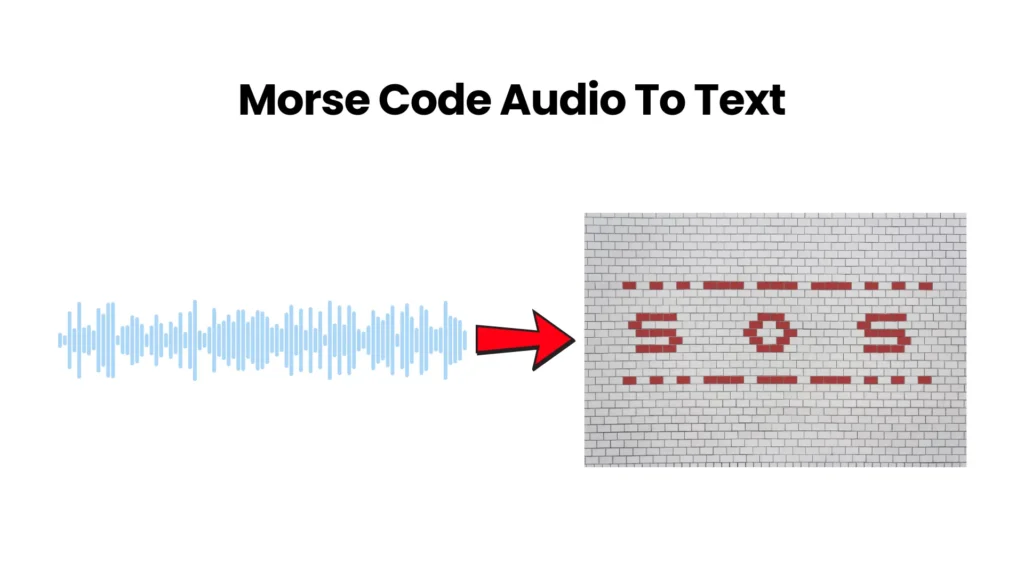
Morse Code Audio Decoder converts audio data into text by using the Web Audio API as it acts as a reverse of the encoder. This Web-based tool works in all types of browsers, but we recommend Chrome. Audio signals or audio files have dots and dashes that are decoded back into their original form.
Our tool is user-friendly even if you are a beginner and don’t know how to decode the signal. We have a microphone option in which live data is fed and in return, the result is given you can download. All the data is encrypted and we don’t store any data. Beginners face difficulty decoding the message which is why we added this feature. Everything is encrypted we don’t have access to what you are receiving or listening to, the data is processed on the device.
IF you upload a Morse Code audio file it will be analyzed first and if the volume is louder than the threshold then it will be treated as a dit and dah and record a gap that is shown in the form of a barcode. Our decoder will adjust the speed and you can manually select it too by choosing the values.
Three things that are done manually are;
- Quiet sound is filtered (very negative)
- Loud sound is filtered (close to zero)
- Scales the remaining data
You can upload MP3, WAV, OGG and M4A audio files to our decoder that will analyze and give the readable text. This free software can help any kind of operators like students, radio operators, and puzzle enthusiasts.
Our decoder has a special type of decoding technique that uses Fast Fourier Transform the FFT that use the precise timing of each dit and dah.
Overline
Why Do You Need the Best Morse Code Audio Translator?
Machines don’t make error but for humans there are. It’s easy to decode small Morse Code but for large data there are possibilities we can make mistakes. Our tool uses the most advanced technology that can provide accurate results so you don’t have to manually convert. If you are a beginner, you should use this tool side by side as decoding requires skills that take time to develop.
If you are a slow learner or have any physical disability like hearing and reaction time issues you should use this tool.
How to Use the Morse Code Audio Decoding Tool?
Here are a few steps that you can use to decode the audio of Morse Code to get the result: You don’t have to be technical. Just follow the steps below and you are good to go:
1. Upload Your Audio File
There are three ways you can upload your audio file as follows;
- Drag and drop
- Browse audio files
- Upload audio file
The size of the audio should not be more than 5 Mb.
2. Analyze Audio for Morse Code
Clicking on the “Analyze audio” button will instantly scan the audio and give a plain text answer.
3. Play the Decoded Code
If you want to play Morse code on the device just click on the “play Morse” button and you will hear the sound of dots and dashes.
4. Pause Playback Instantly
To review a specific segment of Morse Code there is a button called “Pause” that will stop the player and you can drag the player and rehear that segment as many times as possible.
5. Stop Playback Completely
Click on the “Stop” button if you memorize the message.
6. Repeat — Loop the Morse Signal
To memorize a word or letter and you want to hear it on repeat, then you should press the “Repeat” button. This will play the audio in a loop and train your brain. Use this feature for words like CQ, SOS and AR.
7. Toggle Sound Output On or Off
You can customize the audio output or play in the original sound.
8. Light Flashes Morse Code
If you have a hearing issue our tool provides a flashlight feature in which your screen will flash in response to Morse code.
9. Feel the Morse Code Vibration
To feel the Morse Code just click on the “Vibrate” button if your device supports haptic feedback. Vibration will be created in the same rhythm of Morse Code.
10.Share Your Decoded Result
Use the “Share” button to send the answer to other socials.
11. Control Playback Rate With Slider
By default, the speed of the Morse code decoder is set at 20 Words Per Minute (WPM). If you’re a beginner, you can use a slider and make it at 5WPM. With the time you have experience, you can move 30+ WPM.
12. Adjust Audio Level With Volume Slider
If you have a hearing issue you can increase the sound volume but by default we have set it at 80%.
How to Translate MP3 Audio Files?
There are 3 simple steps that you can follow are,
- Select your audio file or audio from the mic should be translated into which output.
- Upload or drag and drop the file.
- Press the “Translate” button.
How Audio to Morse Code Detection Works
Understanding the technology helps you get better results. Here is how our audio Morse code decoder works under the hood, explained simply:
1. Audio Loading & Preprocessing
The uploaded audio is divided into samples and then a filter called a bandpass frequency filter is applied that will reduce background noise and audio will narrow down on that Morse beeps occurs.
2. Fast Fourier Transform (FFT) Analysis
A mathematical process is applied on the narrowed-down audio that will further break down the samples into frequencies. Now based on frequency dot and dashes are made and where there is silence a gap is formed.
3. Volume Threshold & Timing Detection
With audio there is background noise so to consider a signal a threshold is formed. Above which the dot is made and below it no response.
4. Morse Code to Text Translation
Now we have dots and dashes that tally with all 26 letters of the English alphabet and 10 digits of numbers. With that help a result is shown.
Key Features of the Morse Code Video Decoder
The following are some features that our tool provides.
- Multi-Format Audio Support
- Instant Browser-Based Decoding
- Triple Output Modes
- ITU International Standard Compliance
- Adjustable Speed (WPM) & Volume
- One-Click Share
- Repeat / Loop Mode
- 100% Private & Secure
- Works on All Devices
Multi-Format Audio Support
The uploaded file should be up to 5MB and that should be in MP3, WAV, OGG and M4A form.
Instant Browser-Based Decoding
Everything is processed on the browser locally, files are not uploaded to our server.
Triple Output Modes
The Morse Code audio is out in three forms like sound, light and vibration.
ITU International Standard Compliance
Our Morse code is built on ITU R M.1677-1 for accurate decoding.
Adjustable Speed (WPM) & Volume
For beginners, you can lower the speed to as low as 5 WPM and if you are a professional, you can increase the speed to 60 WPM.
One-Click Share
Just tap on the share button and share with anyone in the world.
Repeat / Loop Mode
To memorize the rhythm, put the answer on loop.
100% Private & Secure
We don’t read your document or have access to it. All work is done on your device
Works on All Devices
Our tool is optimized for all types of devices but for vibration output your device should support haptic feedback.
Who Is This Audio Morse Code Decoder For?
Our special Morse Code tool serves almost every type of user, like;
- Radio operators analyze QSO recordings and identify beacons.
- Students should use this tool to practice with every alphabet.
- Emergency Communications Trainers train people with audio recording as in times of danger they can help out too.
- Aviation Enthusiasts use Morse code to identify non-directional beacons.
- Teachers teach students how this amazing language was invented and spread awareness.
- Puzzle designers use Morse Code in games and you can use our tool to decode it.
- Historians Enthusiasts decode the Morse Code of WWII archives.
Tips for Getting the Best Results
There are a few things that you should keep in mind to get good results;
- The audio should be clean with no background noise.
- The audio file should be under 1 MB.
- The Code has precise timing.
- Proper space between characters and words.
How to Manually Decode Morse from Audio
Decoding should be done by a professional if it is a sensitive file but there are some tips that you can follow are;
- The audio player should play the sound at a low speed.
- Listen to one code at a time and write it on paper.
- Tally each code with a reference to the English alphabet or number
- For word separation use slashes and for letters use spaces.
How this Morse code audio generator works
How to generate Morse audio
- Choose text input or Morse input.
- Enter the message and verify the generated Morse preview.
- Set speed, Farnsworth spacing, pitch, waveform, and volume.
- Play the audio, then export WAV when the timing sounds right.
Audio settings explained
Character speed
Sets the dit length. Raise it when symbols should form faster, and lower it when the characters are hard to separate.
Farnsworth spacing
Adds silence between letters and words while keeping each character crisp for listening practice.
Pitch, waveform, and volume
Change how the signal feels to your ear. These controls affect tone quality, not the Morse message.
Attack, release, and tail padding
Soften clicks and leave enough room so the final symbol is not clipped in the exported WAV.
Common audio mistakes and fixes
- Audio sounds cramped: increase Farnsworth spacing before lowering character speed.
- Pitch feels uncomfortable: change pitch in small steps; this does not change the message.
- Symbols click: add a little attack and release, or use a smoother waveform.
- Export clips the ending: increase tail padding so the final release has room to finish.
Audio generator vs MP3 generator
Use this page when you want to hear or save a full Morse message as WAV audio. Use the Morse code MP3 generator when you need a smaller downloadable MP3 file for sharing.
Best next step after creating audio
If the file is for listening drills, move into Morse audio practice or test recognition with the Morse audio quiz.
Conclusion
As we reach the end of the article, I can confidently say that you’re now well-equipped with everything you need to know about the Morse code audio decoder tool. This user-friendly tool utilises an advanced signal processing algorithm to convert Morse code from an audio file into readable text within seconds. Simply upload your audio file containing Morse code, or use the microphone option for real-time voice input to decode signals. So, why wait? Give it a try and see the magic!