Morse code translator picture
As we use an Optical Character Recognition technology that reads the text on any surface like photos and screenshots and translates that text into Morse Code and in the end we get dots and dashes.
If your paper contains Morse code, it can be converted back into text. Just click on the “Morse Code to text” button and upload your document and click on the “convert” button, which will scan Morse Code and decode the information. The switchable button comes in handy as you can convert bidirectionally. You can listen to the code in the form of audio and watch it as it can be flashing and even vibrating. You can share the result with your friends as we have embedded the Share button.
In the past decoders had to sit for hours to tally the Morse Code with the reference chart and write the output but now with our tool you don’t have to sit for hours to decode and encode.
About Morse Code Image Translation
Learn how more code translation works for images.
What is Morse Code Image Translation?
Morse code image translator extracts the Morse code from the document in any form like handwritten notes, educational material and converts it into visual dots and dashes and then converts it into readable text.
Features and Capabilities
Some features are exclusive are;
- Our tool has a built-in chart reference
- Convert the image to text with accuracy
- We follow internation morse code alphabet and symbols
- Audio can be heard of uploaded Morse code
- The result can be shared on other platforms and can be copied
Quality Control
We are doing our best to give you the best user experience and there should be no error in our site or tools. IF you find any thing suspecious, you can give feedback so that we can fix that issue.
Experimental Technology
Our tool is experimental and the desired results may be changed. Our tool doesn’t read the code like a human being, it scans and then converts. During scanning if an error occurs, it will alter the result.
For Best Results
- Upload a high-quality image with good contrast
- Morse code should be in a single line
- The image should contain only Morse Code not other texts or emojis.
Instant Morse Code Image Conversions
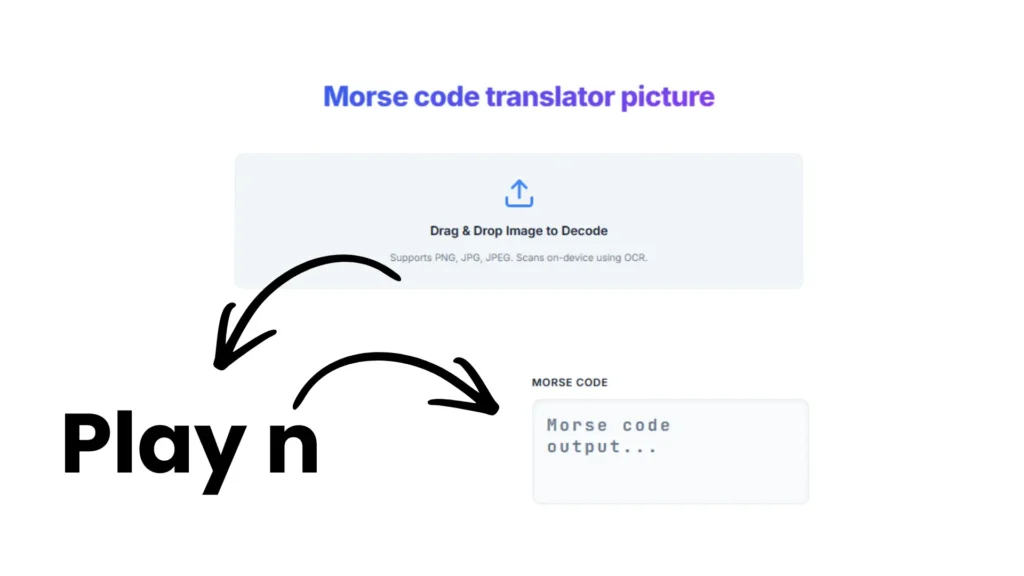
As soon as you upload the data on our site it will be instantly converted and you will be able to download it in multiple formats such as txt and wav. No data is stored on our server and we don’t read what you upload every process takes place on the device as we just use Web Audio API and client-side image processing.
1. Upload image
There are three ways you can upload an image as follows,
- Drag and drop
- Click on the “Browse” button
- Simply click the photo on the web
2. Instant Translation
The result will show as the image is processed
3. Download & Listen
The result can be downloaded, played or copied.
Convert Morse Code Image to Text – How It Works
There are simple processing tasks that convert code image to text.
Image Recognition Process
As soon as you upload the image our tool adjusts its contrast and brightness so during scanning ther should not be any problem. Our tool supports JPG, PNG, JPEG, GIF, BMP and WebP formats.
Morse Code Detection
Our tool looks for dots and dashes, spaces in the words and letters in the image.
Text Conversion
Each Morse code has a specific meaning and like we have given a table as a reference,
| Morse Code | Letter |
|---|---|
| .- | A |
| -… | B |
| -.-. | C |
| … — … | SOS |
How to Use This Morse Code Image Decoder
To use our Morse Code image decoder, there are simple steps that you can take are,
Step 1 – Upload Your Image
Upload the picture by drag and drop or use the browse button, which should be up to 5 MB. A preview thumbnail will appear that confirms the file is ready to analyze.
Step 2 – Click the Scan Button
Click on the “Scan” button to start analyzing the Morse Code in the pic.
Step 3 – Get Your Decoded Text
The Morse Code is detected and compared with dedicated numbers or letters and gives the output.
Step 4 – Copy or Download Results
The decoded text can be shared or copied, just click on thier respected burttons.
Supported Image Types for Morse Code Decoder
I have created a table in which I categorized the types of picture is best for a Morse code decoder scanner.
| Image Type | Examples | Works Well? |
|---|---|---|
| Screenshots | Phone or computer screenshots | Excellent |
| Photos | Camera pictures of morse code | Very Good |
| Scanned Documents | Old telegrams, historical papers | Very Good |
| Digital Images | Downloaded pictures, saved files | Excellent |
| Handwritten Notes | Personal morse code notes | Good |
| Book Pages | Textbook morse code examples | Very Good |
- PNG = Lossless
- JPG = best for sharing
- JPEG = JPG
- GIF = Static images
- BMP = highest raw quality
- WEBP = Smaller files, excellent sharpness
I would recommend that you have the following specifications
| Specification | Value |
|---|---|
| Maximum file size | 5 MB |
| Recommended resolution | Minimum 150 DPI |
| Best image type | Black text on white/light background |
| Processing location | On your browser |
| Morse code standard | ITU-R M.1677-1 |
Features of Our Photo Morse Code Translator
Our photo Morse code translator comes with many useful features. Here is what makes our Morse code photo translator stand out.
| Feature | Description |
|---|---|
| Multiple Image Format Support | Upload PNG, JPG, JPEG, GIF, BMP, and more. Our morse code translator photo tool accepts all common image formats. No need to convert files first. |
| Instant Processing | Get results in seconds. No waiting, no delays. |
| High Accuracy Detection | Advanced pattern recognition finds morse code accurately. The morse code decoder from image online feature detects dots and dashes even in complex images. |
| Completely Free | No payment required. No hidden fees. Use our morse code image decoder as many times as you want. |
| Works on All Devices | Use it on your phone, tablet, or computer. Our tool works in any web browser. No app download needed. |
| Privacy Focused | Your images stay private. We process images securely and do not store your uploads. |
Translate Morse Code Picture to English f– Quick Examples
Here are examples of how our tool works. See how Morse code picture-to-text conversion looks in practice.
Example 1: Simple Word
| What You Upload | What You Get |
|---|---|
| Image showing: …. . .-.. .-.. — | Text: HELLO |
Example 2: Emergency Signal
| What You Upload | What You Get |
|---|---|
| Image showing: … — … | Text: SOS |
Example 3: Common Phrase
| What You Upload | What You Get |
|---|---|
| Image showing: – …. .- -. -.- / -.– — ..- | Text: THANK YOU |
The Morse code decoder picture function handles single words, sentences, and longer messages. Just upload a clear image and get accurate results.
| Label | Morse | Result |
|---|---|---|
| Simple word | …. . .-.. .-.. — | HELLO |
| Emergency signal | … — … | SOS |
| Common phrase | – …. .- -. -.- / -.– — ..- | THANK YOU |
Common Problems and Fixes (Troubleshooting)
- Images should be in the recommended format
- Reduce the file size
- Remove the extension or try another browser
- Refresh the page
- The image should contain only relevant data
- Increase the DPI of the image
- No glare in the picture
- Upload in PNG form
Morse Code Image Decoder vs Manual Decoding
Manual decoding is a great skill. But when you need an answer quickly (or your image is messy), automation saves time.
| Factor | Image Decoder | Manual Decoding |
|---|---|---|
| Speed | Seconds | Minutes to hours |
| Accuracy | High with clear images | Depends on your experience |
| Effort required | Very low | High |
| Knowledge needed | None | You must know Morse |
| Best for | Quick, reliable results | Learning and practice |
| Long messages | Easy | Time-consuming |
| Cost | Free | Free, but costs time |
Who uses the Morse Code Translator from Picture?
Many types of users use Morse Code. Here, we have created a table showing what they do with it.
| Audience | Description |
|---|---|
| Students and Learners | Students learning morse code use our tool to check their work. They upload practice exercises and verify their answers. It makes learning faster and easier. |
| History Enthusiasts | People interested in history decode old documents. They use our translate morse code picture feature on vintage telegrams, war communications, and historical archives. |
| Puzzle Solvers | Escape room players and puzzle fans love this tool. Many games include morse code challenges. Our morse code translator picture to english feature solves them instantly. |
| Radio Hobbyists | Amateur radio operators decode reference materials. They use morse code translator photo to text for contest logs and training documents. |
| Researchers and Archivists | Professionals working with historical collections use our tool. Museums, libraries, and archives decode old communications for preservation. |
| Curious Minds | Found a random morse code image online? Curious what it says? Our tool satisfies that curiosity in seconds. |
Ham Radio Operators
Convert printed CW reference charts, contest logs, and QSL card text to Morse audio for training and contest preparation
Students & Learners
Extract text from textbook exercises, printed Morse alphabet charts, and study sheets — instantly hear the result as audio
Educators & Teachers
Convert printed lesson materials, classroom worksheets, and test papers into Morse audio. Distribute via Share link
Historians & Archivists
Digitize and decode vintage telegrams, WWII military communications, and rare historical Morse documents
Escape Room Designers
Create image-based Morse puzzles. Players photograph a clue, upload it, and decode the hidden message instantly
EMCOMM Trainers
Convert training material, drill documents, and emergency communication protocols to Morse audio for realistic practice
Aviation & Maritime
Identify NDB beacon identifiers and maritime navigation signals from printed charts and reference materials
Developers & Researchers
Test OCR-to-Morse pipelines. Evaluate image quality requirements. Reference ITU encoding against the tool output
Beyond these primary audiences, the tool is also widely used by cryptography enthusiasts who embed Morse messages into images as steganographic puzzles, jewelry and tattoo designers who convert photo-captured custom text into Morse patterns, museum and cultural preservation teams digitizing maritime and wartime communication archives, and STEM educators who use Morse code as an engaging entry point into signal processing and encoding theory.
Image to Morse Code Decoder — Feature Comparison
| Feature | JustMorseCodeTranslator | Typical Alternatives |
|---|---|---|
| Free to use | ✔ Always free | Often freemium with daily limits |
| No signup required | ✔ Zero registration | Many require account creation |
| Image file support | ✔ PNG JPG JPEG GIF BMP WEBP | Usually PNG and JPEG only |
| Morse in image mode | ✔ Dedicated dot-dash recognition | Rare — usually text OCR only |
| Audio playback | ✔ Sound + Light + Vibrate | Audio only in most tools |
| WPM + Pitch + Volume control | ✔ Full player settings | Often fixed speed only |
| Data privacy | ✔ 100% browser-based, no upload | Files often sent to server |
| Mobile vibrate mode | ✔ Haptic feedback supported | Rarely available |
| Instant share link | ✔ One-click sharing | Usually requires download first |
| ITU-R M.1677-1 standard | ✔ Fully compliant | Most tools comply |